How a typewriter works: every part explained
How a typewriter works, part by part: key lever, typebar, ribbon, platen, escapement, carriage, bell and shift, with a glossary of part names.
A manual typewriter is a chain of levers with a spring at the end. Pressing a key swings a metal arm, the typebar, up to the paper. The raised letter on its tip strikes an inked ribbon against the page and prints. During the same stroke the arm trips a catch that lets a spring pull the carriage, and the paper with it, one space to the left. Every other part feeds the ribbon, holds the paper, or starts a new line.
This is the front-strike manual typewriter, the design that had become standard by about 1910. Makers differed in the details, and earlier machines struck the paper from underneath, where the typist could not see the line.
What happens when you press one key
- The key lever tips. Each key sits on the front end of a long lever under the keyboard. Pressing the key rocks that lever on its pivot.
- The linkage speeds the movement up. A link joins the key lever to a small intermediate lever, called a sublever or bell crank, and a second link runs from there to the heel of the typebar. Together they turn a short push of the finger into a long, fast swing.
- The typebar swings up. At rest the typebars lie in a fan called the type basket. Each one pivots in its own slot in the segment, a curved steel block, so it can travel in only one plane, toward one spot: the printing point.
- The ribbon rises. Just before the typebar arrives, the ribbon vibrator lifts the ribbon in front of the printing point.
- The slug strikes. The block of type on the end of the bar is the slug. It passes through a notched type guide that centers it, then drives the ribbon against the paper. The platen, a rubber-covered roller behind the paper, takes the blow.
- The escapement releases the carriage. Near the end of its swing the typebar nudges the universal bar, a bar every typebar touches. That rocks the escapement, and the carriage steps one space to the left.
- Everything resets. The typebar falls back into the basket, the ribbon drops so you can read the letter, and the key comes up.
The parts that put ink on the page
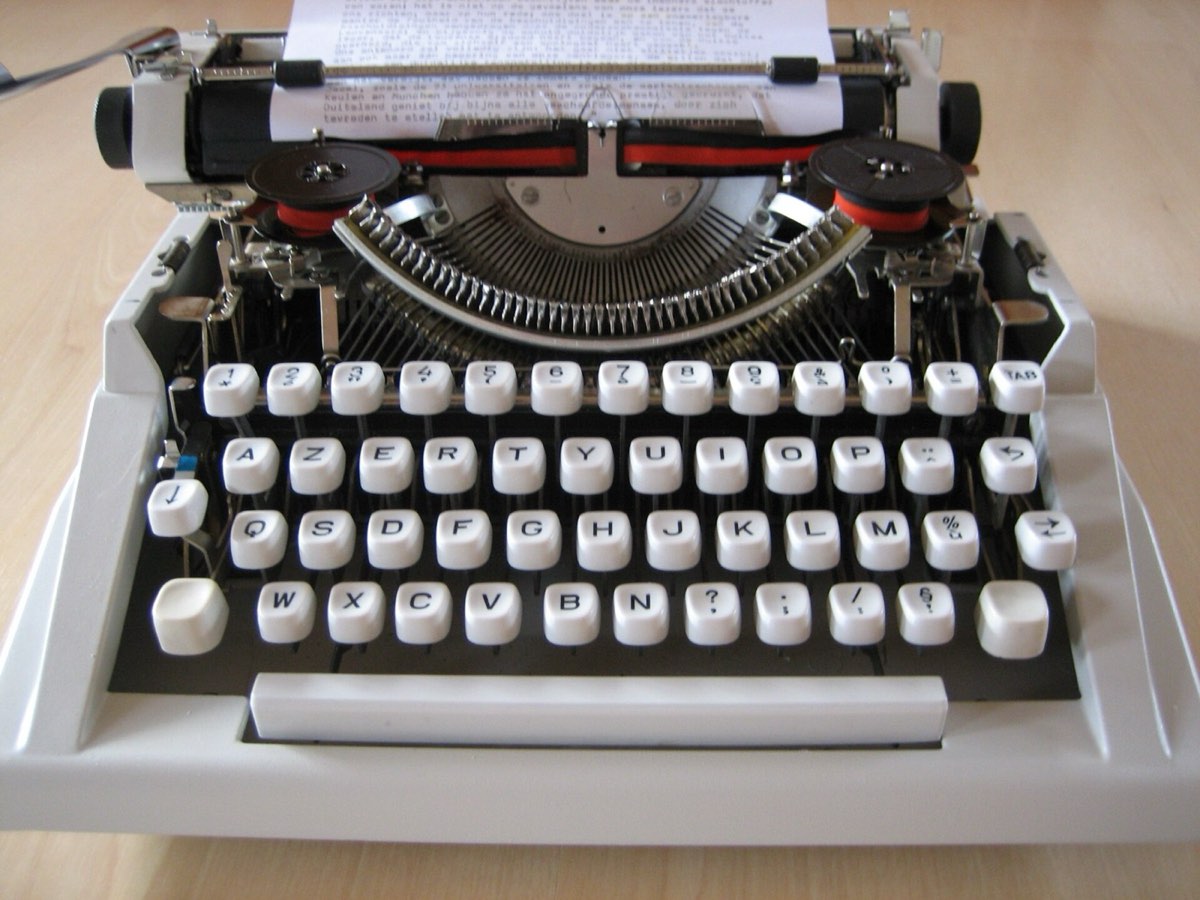
The typebar, the slug and the segment
Each slug carries two characters, one above the other: usually a lowercase letter and its capital, or a figure and a symbol. That is how a typical keyboard of 42 to 44 character keys prints 84 to 88 characters.
The segment's slots and the type guide are what make every letter land on the same line.
The ribbon, the ribbon vibrator and the ribbon reverse
The ribbon is a strip of inked fabric wound between two spools. It is wound on a little at every stroke, so each letter meets a fresh patch of ink.
The vibrator is the guide that holds the ribbon at the printing point. It rests low, leaving the line visible, and jumps up for each strike. With a two-color ribbon, a selector changes how high it jumps, so the slug hits the upper band or the lower one. Some machines add a third setting that leaves the ribbon down altogether, used for cutting stencils with bare type.
When one spool runs empty, the ribbon reverse sends the ribbon back the other way. On many machines an eyelet near each end of the ribbon trips the reverse automatically, and on others you move a lever.
The platen and the paper bail
The platen is both the surface the type strikes against and the feed for the paper. Feed rollers underneath press the sheet to it, so turning the platen by its knobs rolls the paper up or down. The paper bail, a hinged bar with small rollers, holds the sheet against the platen above the line of type. A paper release lever takes the pressure off so you can straighten a crooked sheet.
The parts that move the paper
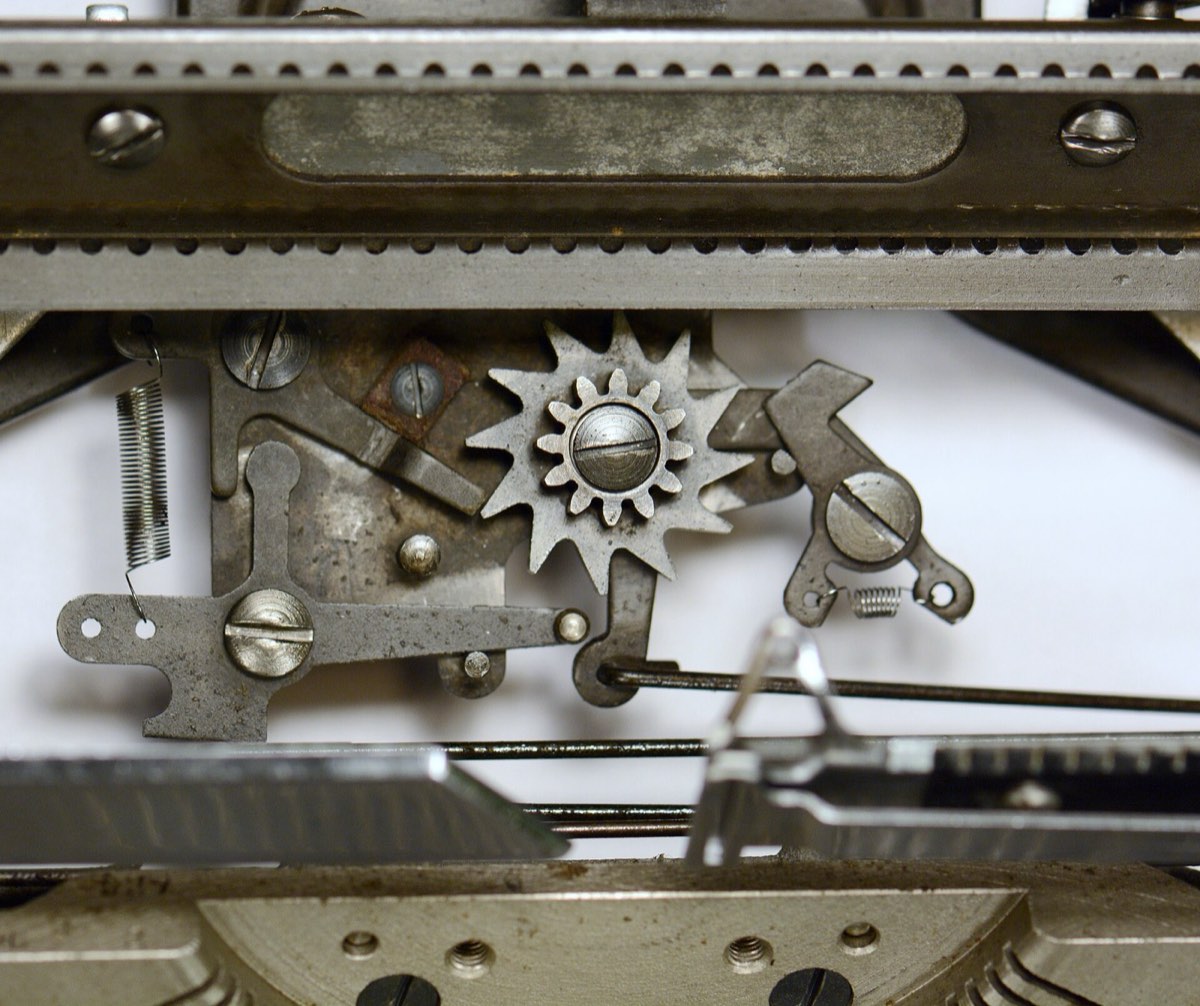
The carriage and the escapement
The carriage is the sliding assembly on top of the machine: platen, paper, bail and return lever. A coiled mainspring pulls it toward the left all the time, through a cord or strap called the drawband.
The escapement stops it from running away. A toothed wheel is geared to a rack on the carriage, and two catches called dogs take turns holding that wheel. Each time the universal bar rocks them, one lets go as the other catches, and the wheel turns by exactly one tooth. So the escapement does not push the carriage. It lets the spring move it, one space at a time. The space bar works the same dogs without raising a typebar.
One tooth is one character. On a pica machine that is a tenth of an inch and on an elite machine a twelfth, the same for every letter, which is why typewritten columns line up.
Margin stops, the bell and the margin release
Two sliding margin stops set where each line begins and ends. A few spaces before the right-hand stop, the bell rings.
If you type on to the stop, the line lock blocks the keys, so you cannot strike letters on top of one another at the edge. The margin release frees the carriage to pass the stop, which lets you finish a word. It works at the left margin too.
The carriage return lever and the line feed
The return lever, usually at the left end of the carriage, does two jobs in one push. The first part of its travel turns the platen through a pawl and ratchet. That is the line feed. The rest of the push slides the carriage to the right until the left margin stop catches it, winding the mainspring again on the way. A line space selector sets how far the platen turns. Single spacing is six lines to the inch.
The tabulator
Tab stops are movable stops on a rack at the back of the machine. The tabulator key frees the carriage from the escapement, and the spring pulls it along until the next set stop catches it. It was made for typing columns, and the Tab key on a computer keyboard takes its name from it.
How the shift key prints the second character
Shift changes which half of the slug meets the paper, by moving either the paper or the type. The first shift key, on a machine released in 1878, slid the platen forward. Front-strike machines settled on two arrangements.
| Carriage shift | Basket shift (segment shift) | |
|---|---|---|
| What moves | The carriage rises, with the platen and paper | The segment drops, with all the typebars |
| Effort | Usually heavier: your finger lifts the carriage | Usually lighter: the basket is the smaller load |
| The paper | Moves while you hold shift | Stays still |
A shift lock holds the mechanism down for a run of capitals.
Why typebars jam, and what QWERTY has to do with it
Every typebar is aimed at the same printing point, and only one can be there at a time. Press a second key before the first bar has fallen clear, and the two meet near the paper and wedge together until you pull them apart by hand. Bars that sit side by side in the basket share most of their path, so they tangle most easily.
The familiar story says Christopher Latham Sholes arranged the keyboard so that common letter pairs sat far apart in the basket. A study by Koichi and Motoko Yasuoka of Kyoto University, built on patents, letters and surviving machines from the 1870s, tested that story. In the basket of the 1874 machine, T and H, the most frequent pair in their count, sit on opposite sides, but E and R, the second most frequent, sit almost side by side.
The Yasuokas argue that the layout grew out of requests from telegraph operators, the first customers, and found no evidence that it was meant to slow typists down. Other histories still give letter pairs a role, so accounts differ. The layout's full history is in the typewriter keyboard layout article.
What electric machines and the golf ball changed
Electric typebar machines kept almost everything described above and changed where the force comes from. A motor keeps a power roll spinning. A key press no longer swings the typebar. It only tips a small cam against the roll, and the roll throws the bar. Each letter lands with the same force however lightly you touch the key, and on most office machines the motor returns the carriage too.
In 1961 IBM introduced the Selectric, which did away with the typebars and the moving carriage together. Its 88 characters sit on a single type element, a sphere usually called the golf ball. For each keystroke the element tilts and rotates to bring the right character forward, then strikes the ribbon. Element and ribbon travel along the line on a carrier, and the platen only turns to feed the paper. With no typebars there is nothing to jam, and swapping the element changes the typeface.
A short glossary of typewriter part names
- Carriage: the sliding assembly that carries the platen and paper.
- Drawband: the cord or strap from the mainspring to the carriage.
- Escapement: the wheel and dogs that release the carriage one space per keystroke.
- Line lock: blocks the keys at the right margin.
- Paper bail: the hinged bar that holds the paper against the platen.
- Platen: the rubber-covered roller behind the paper.
- Ribbon vibrator: lifts the ribbon for each strike.
- Segment: the slotted block the typebars pivot in.
- Slug: the two-character block of type on a typebar.
- Type guide: centers the slug at the printing point.
- Universal bar: the bar every typebar moves, which trips the escapement.
Trying the mechanism yourself
Typebar is a free typewriter simulator that runs in your browser and imitates several of the parts described here. Each strike inks the page and steps the carriage one space, the bell rings near the right margin, and the return lever feeds a line and brings the carriage back. The guide explains the controls.
Questions people ask
- How does a typewriter work?
- Pressing a key moves a chain of levers that swings a metal typebar up to the paper. The raised letter on its tip strikes an inked ribbon against the page and prints. During the same stroke the typebar trips the escapement, which lets a spring pull the carriage one space to the left.
- What are the main parts of a typewriter?
- The printing parts are the keys and key levers, the typebars with their slugs, the segment, the ribbon and the platen. The parts that move the paper are the carriage, the escapement, the mainspring, the margin stops, the bell, the tabulator and the carriage return lever.
- Why does a typewriter have a bell?
- The bell rings a few spaces before the right margin stop to warn you that the line is nearly full. You finish or hyphenate the word, then push the return lever to start a new line. The number of spaces of warning varies from machine to machine.
- What is the difference between basket shift and carriage shift?
- Both bring the second character on each slug to the paper. Carriage shift raises the whole carriage, paper included, while basket shift, also called segment shift, lowers the typebars instead. Basket shift is usually the lighter of the two under the finger.
- Was the QWERTY layout designed to stop typebars from jamming?
- That is the usual explanation, and typebars do jam, but researchers dispute it. A Kyoto University study of 1870s machines found the typebars for E and R, one of the most frequent letter pairs in English, almost side by side, and argues the layout grew out of the needs of telegraph operators. No evidence supports the claim that it was designed to slow typists down.